
This article explains what to do if your encoder does not sit straight once tightened.
Normal Encoder Mounting Method
As part of setting up your FrogBox kit, you will be prompted to secure your encoder to the tripod as per the following steps:
1. Attach the mount to the encoder
Screw one end of the (silver) encoder mount firmly into the encoder.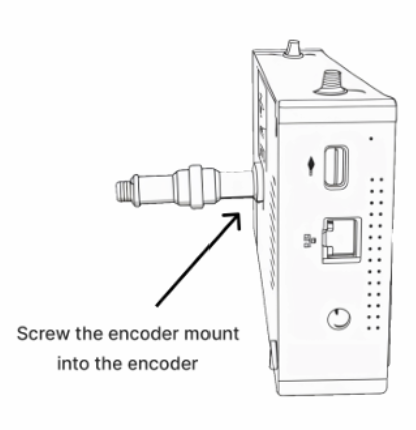
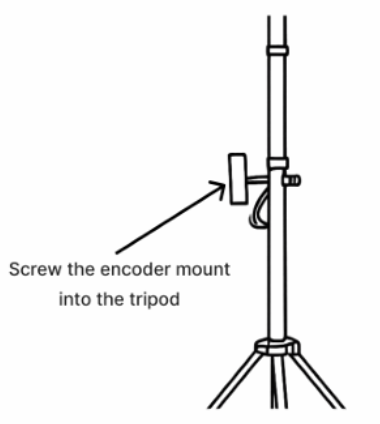
2. Attach and screw the encoder mount to the tripod
Screw the other end of the (silver) encoder mount into the tripod. In doing so, please take note of the important alert in the next step.
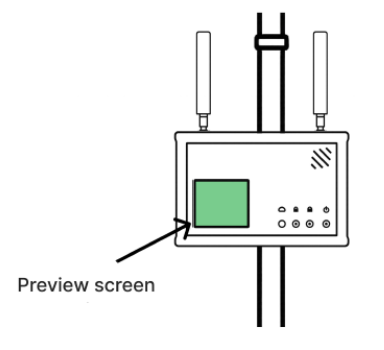
Continue to screw on the encoder until it is secured to the tripod. Ensure the encoder screen is bottom-left and the antennas are facing upright.
IMPORTANT:: If the encoder screen doesn’t sit bottom-left when screwed onto the tripod, leave it slightly loose so it’s correctly oriented, or rest it safely on your FrogBox backpack, the ground, chair, or a nearby table.
Mounting Issue: Encoder Sits at an Angle When Tightened
In some cases, once the mount is fully tightened, the encoder may sit slightly rotated or angled rather than perfectly aligned.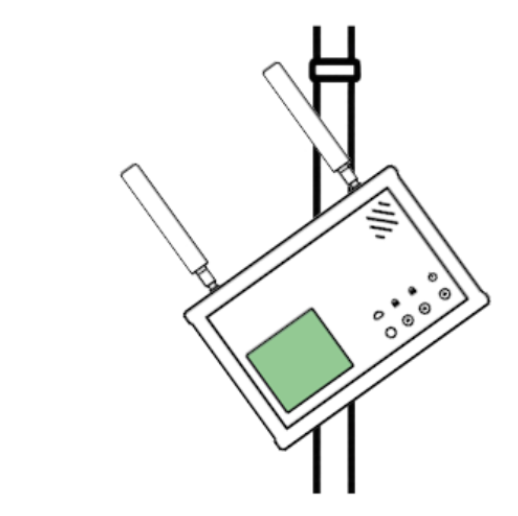
⚠️ Important: Do NOT Keep Tightening
If the encoder is already fully tight do not continue tightening to try to force it into position.
Over-tightening can place excess stress on the mount and increase the risk of the mount snapping or being damaged.
Recommended Fixes
Option 1: Slightly Loosen and Reposition
You can safely correct the alignment by:
Slightly loosening the mount at either end (encoder side or tripod side)
Gently rotating the encoder into the correct orientation
Re-tightening until secure (without forcing it)
A small adjustment is usually enough to achieve the correct encoder position (without risking damage) whilst still ensuring the encoder is securely mounted.
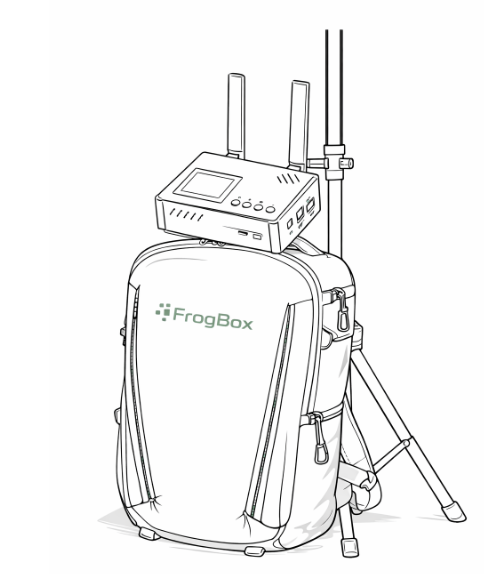
Option 2: Rest the Encoder on the FrogBox Backpack
If achieving the perfect alignment on the mount is difficult, you can alternatively:
Rest it safely on the FrogBox backpack, the ground, or a nearby chair or table.
If you continue to experience issues or are unsure about the setup, please contact FrogBox Support and we’ll be happy to help.