FrogBox lets you showcase your club and sponsor logos on your streams, helping boost your club’s profile and generate sponsorship revenue.
Upload your logos now to feature them on your live streams. We recommend completing these steps from a laptop.
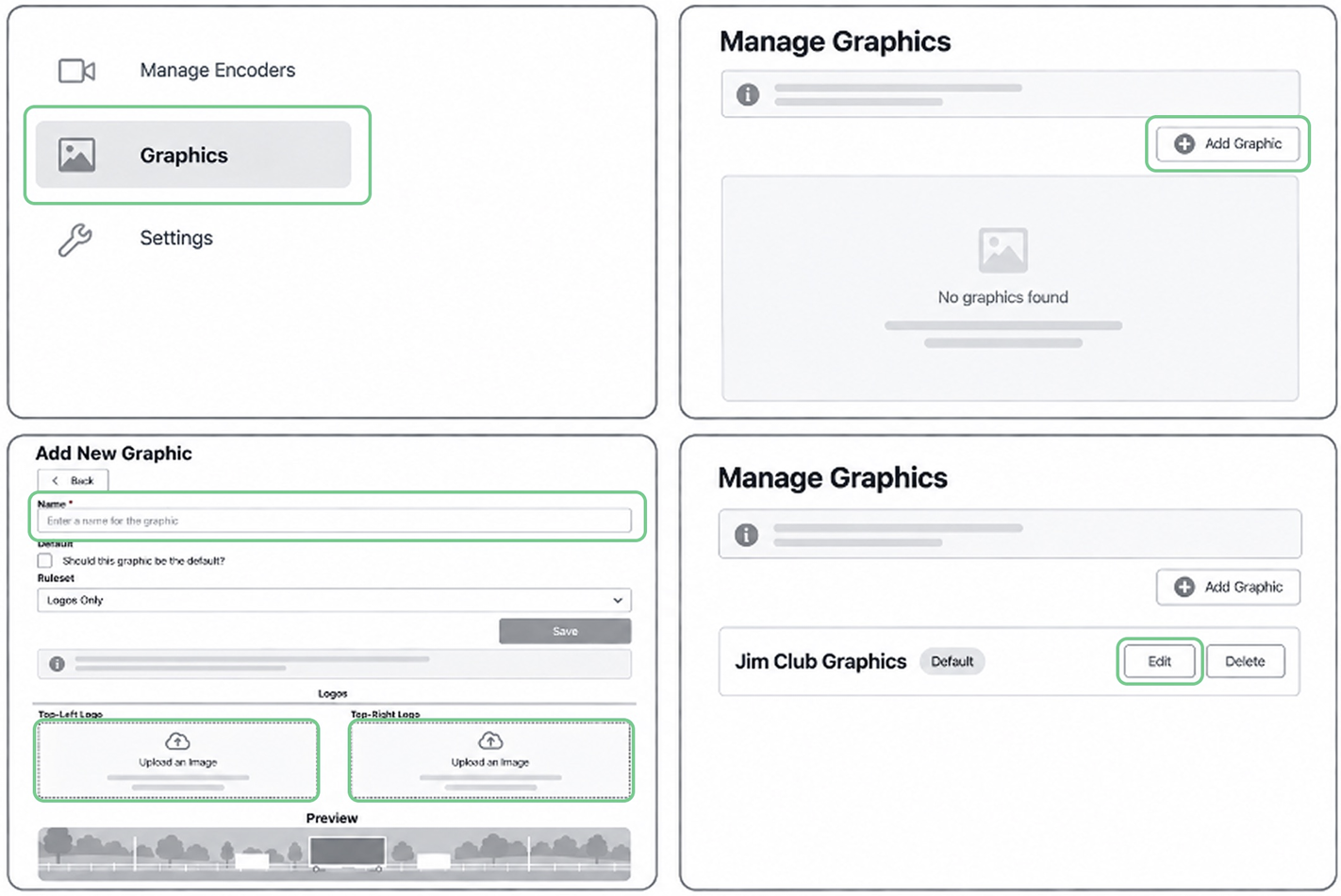
Step 1: Log into FrogBox Go (https://go.frogbox.live/login) and navigate to the Graphics menu and select Add Graphic.
Step 2: Enter a name for your graphics package and upload a Top-Left and/or Top-Right image. Use the Preview to check how your graphics will appear on your live stream. Select Save.
Step 3: To edit your graphics package at any time, select Edit. Make your changes and select Save.