
HOW TO SECURE THE ENCODER TO THE TRIPOD
Depending on when your V2 kit was supplied, you may have one of two encoder mounting systems. Follow the instructions for the mounting system that matches your kit.
Clip-On Mount
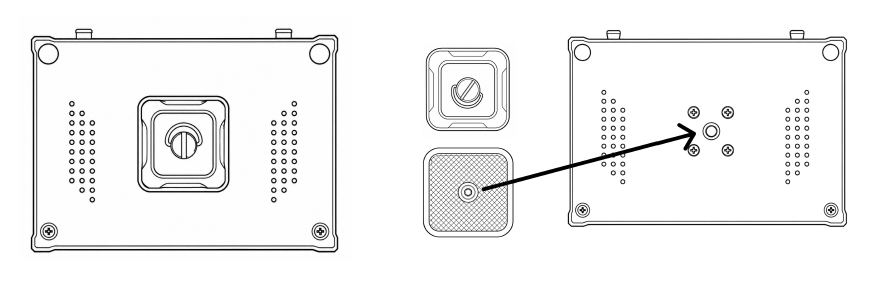
Step 1: The mounting plate should already be attached to the back of your encoder. If it isn't, screw the mounting plate into place.
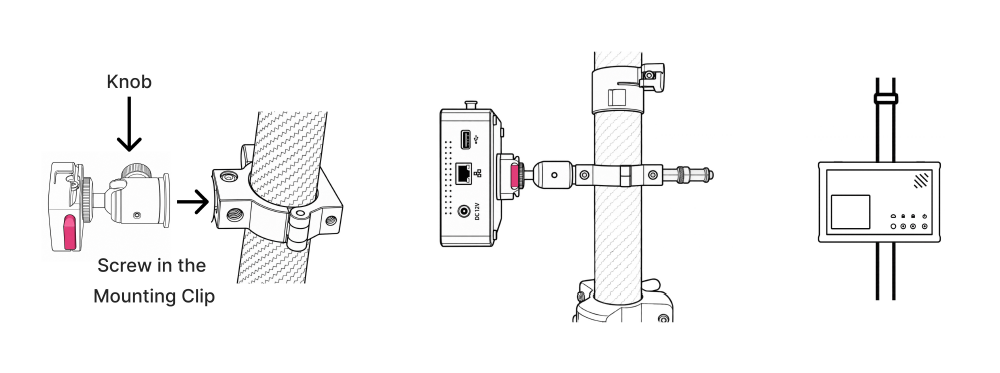
Step 2: Screw the encoder mount clip into the top of the tripod, with the red release button positioned at the side. To adjust the clip's orientation, loosen the black ball-joint knob, rotate the clip to the correct position, then tighten the knob.
Recommendation: Leave the encoder mount clip attached to the tripod when packing away your kit.
Step 3: Align the mounting plate on the back of the encoder with the encoder mount clip, then push the encoder into the clip until securely attached.
The encoder screen should sit in the bottom-left position.
Screw-On Spigot Mount
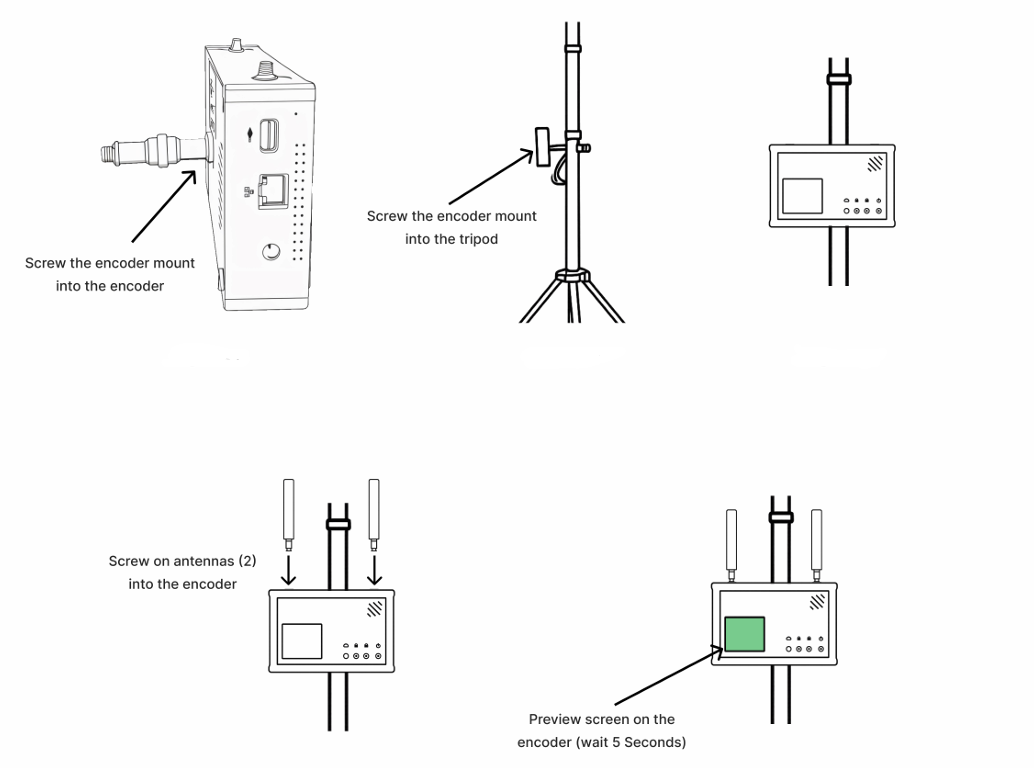
Step 1: Screw the (silver) encoder mount into the encoder. If this has already been done, skip this step.
Step 2: Screw the other end of the (silver) encoder mount into the tripod
Step 3: Continue to screw on the encoder until it is secured to the tripod. In doing so, note the important alert below.
IMPORTANT: Do not overtighten the encoder mount. Ensure the encoder screen is bottom-left, but if the encoder screen doesn’t sit bottom-left when screwed onto the tripod, leave it slightly loose so it’s correctly oriented, or rest it safely on the FrogBox backpack, the ground, or a nearby chair or table.
Prefer a clip-on mount? If you have the screw-on spigot mount and would prefer the newer clip-on mounting system, please submit a support ticket.