
Once your kit is set up and, you can adjust the camera settings to ensure your club is capturing the best footage of the game.
FINAL CAMERA ADJUSTMENTS
Step 1: Rotate the tripod pole left or right to center the action. Do NOT press down or up on the camera as this may damage your kit.
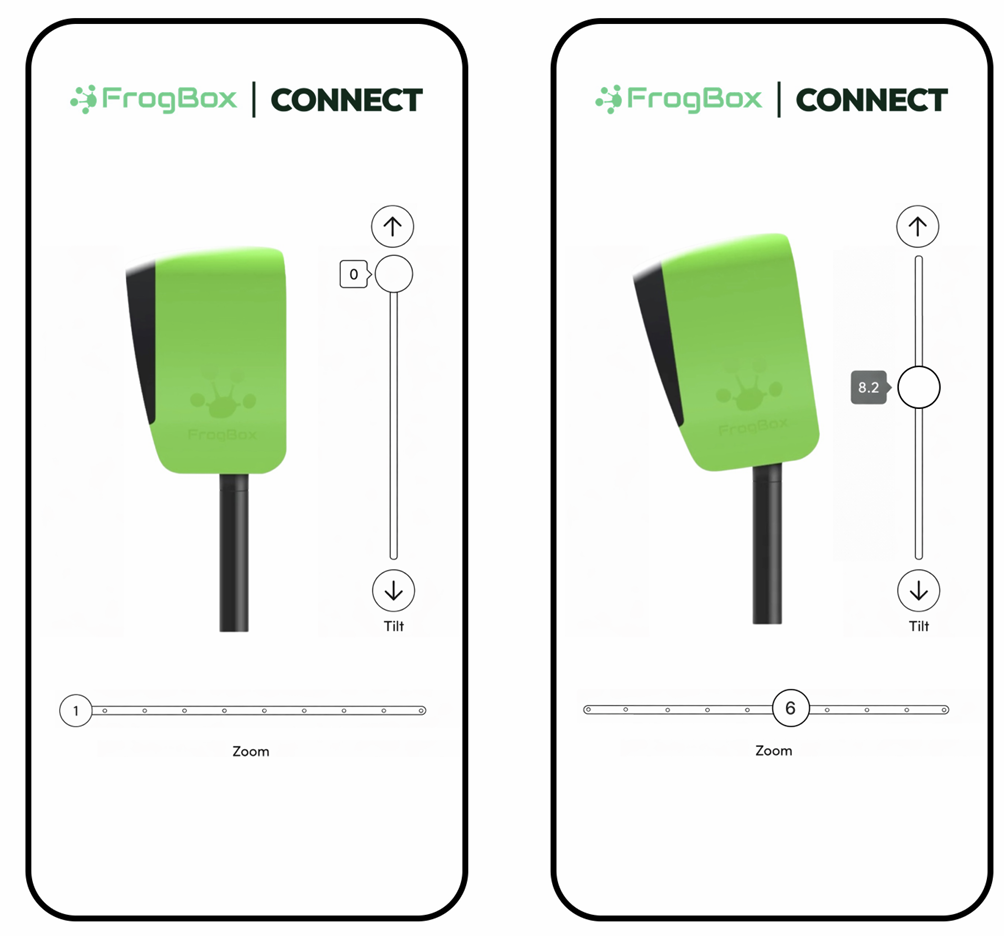
Step 2: Once your phone/tablet and camera are paired, select your camera in FrogBox Connect and adjust the tilt and zoom via the app as needed. Do NOT manually adjust the tilt as this may damage your kit.
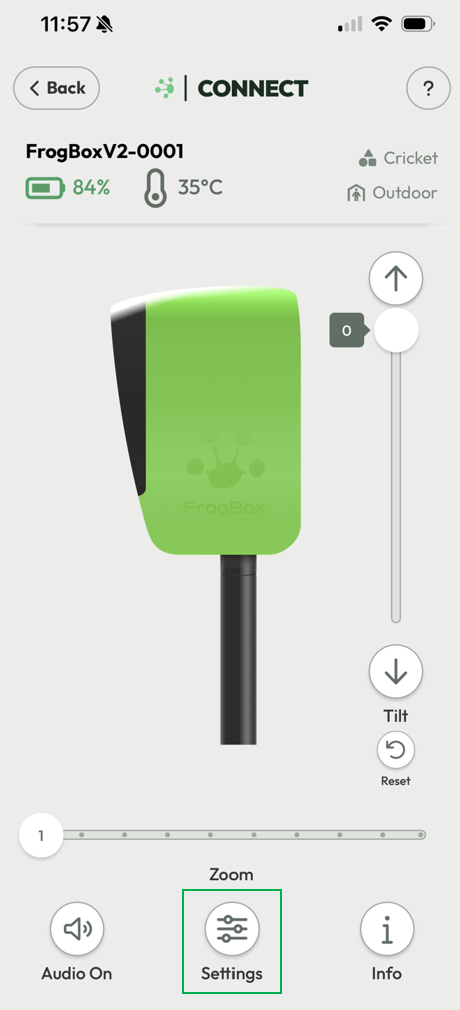
Step 3: To ensure optimal vision for outdoor cricket matches, click Settings.
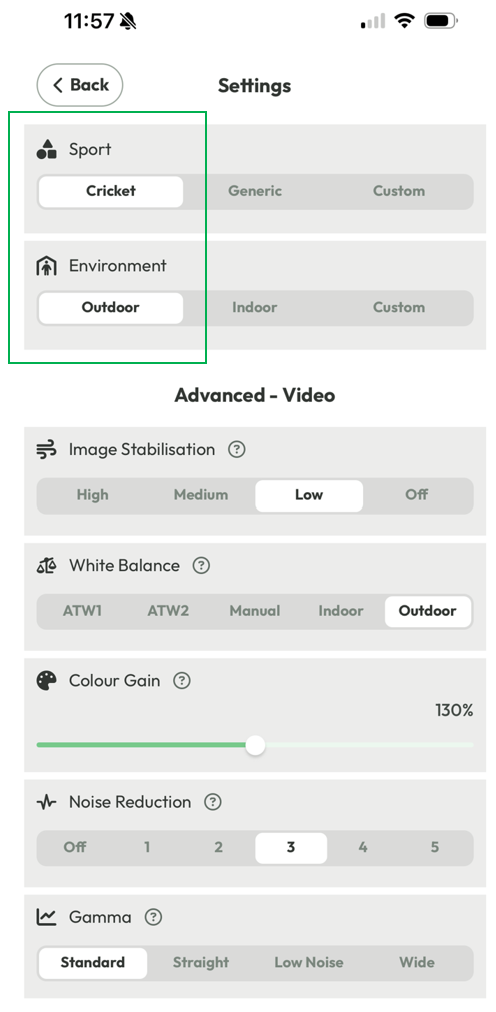
Step 4: Select Cricket and Outdoor profile settings. Skip this step if these profiles are already selected.
ADVANCED CAMERA SETTINGS
Use Advanced Settings in FrogBox Connect to configure your camera for optimal video quality across different conditions.
Learn more here: FrogBox Connect: Advanced Camera Settings