
The FrogBox battery expansion pack is a portable power bank you can use to add extra battery hours in a given days play should you need it. It features an OLED smart display, USB-C & DC charging and is suitable to use for the V2 FrogBox kits, as well as mobile phones, laptops, tablets and other portable devices for fast charging.
Please note that the portable battery pack is not intended to replace charging your FrogBox encoder and camera. Instead, it should be used as a supplementary power source - ideal for extending battery life during long days of cricket streaming when additional power is required.
What's in the Battery Expansion Pack for V2 Camera Kits?
- 1 x Power Bank
- 1m USB-C to USB-C cable to charge the power bank
- 5m USB-C to USB-C cable to charge the camera during match days
- 1.5m DC to DC cable to charge the encoder during match days
Charging the battery expansion pack
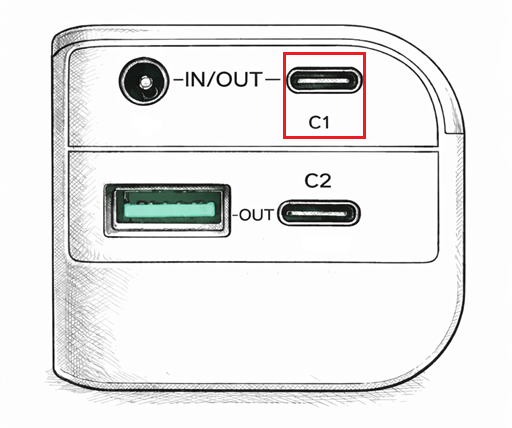
Step 1: Plug the provided USB-C cable into the C1 Port of the power bank (see figure below) and connect the other end to a power source.
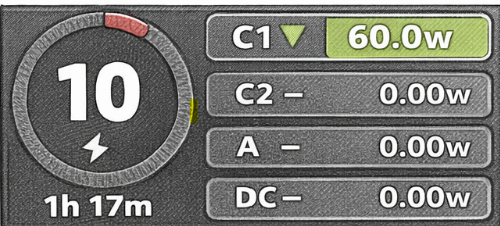
Step 2: Following connecting to a power source the screen on the battery pack will display as shown in the figure below. The green background of 'C1' will be lit up, and the charging power will be displayed, along with time remaining for a full charge.
Using the battery expansion pack with the V2 kit
Powering the V2 camera
Step 1: Turn on the power bank
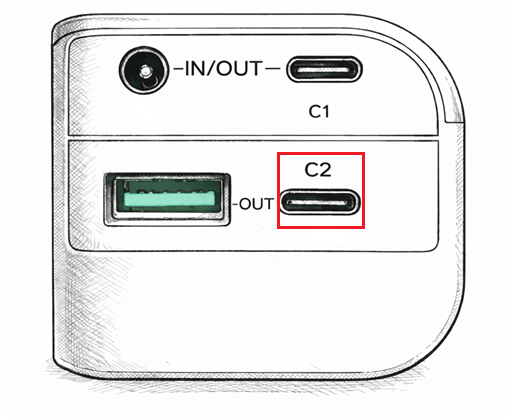
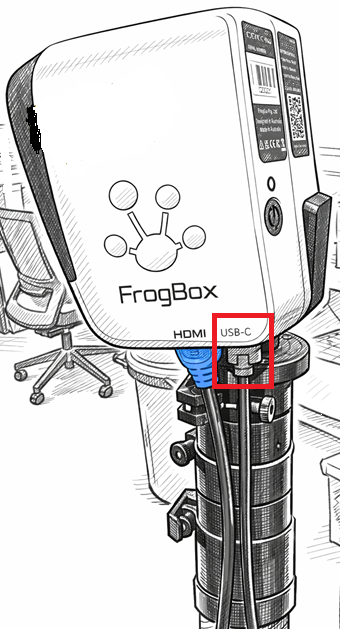
Step 2: Plug the 5m USB-C to USB-C cable into the C2 Port of the power bank and plug the other end into the v2 camera USB-C Port
Step 3: Following connection, the blue background of the C2 display will automatically light up and will display the discharge power, battery percentage and the remaining working time (see image below). The camera light will either flash purple to indicate charging or will flash green/appear solid green if already streaming.
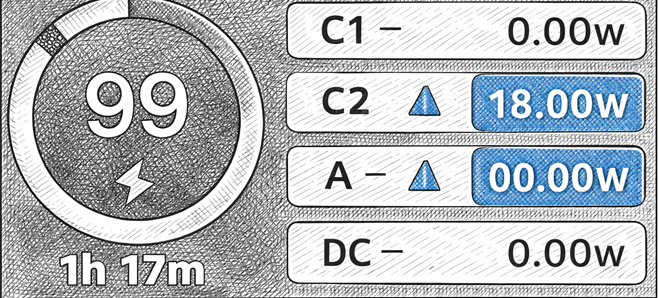
Note: To power the V2 camera with the portable battery when it is fully depleted, please ensure the camera has a small amount of residual charge first - approximately 10% is required.
Powering the V2 encoder
Step 1: Turn on the power bank
Step 2: Select 12V DC voltage:
- First click button to open the home page (a), and hold down the power button for 3 seconds to enter the DC voltage setting interface (1).
- Then, Click the button to select the working voltage you need (which is12V), after selecting the voltage, long press the button for 3 seconds to confirm the voltage, and the display will return to the home interface (a). After a few seconds, the home interface (a) DC will light up and display the DC output voltage.

Step 3: Plug the 1.5m DC to DC cable into the DC Port of the power bank and plug the other end into the DC Port of the encoder
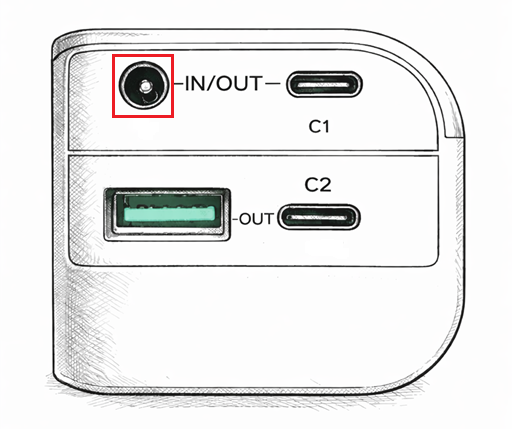
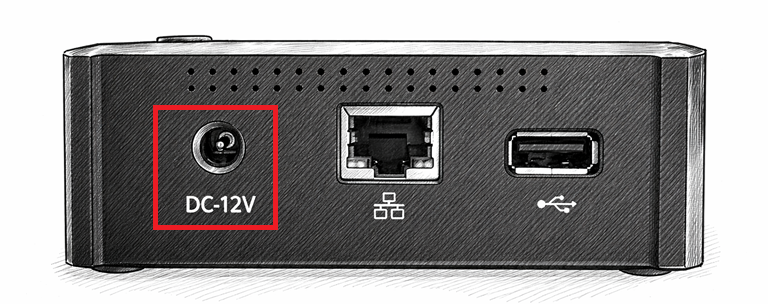
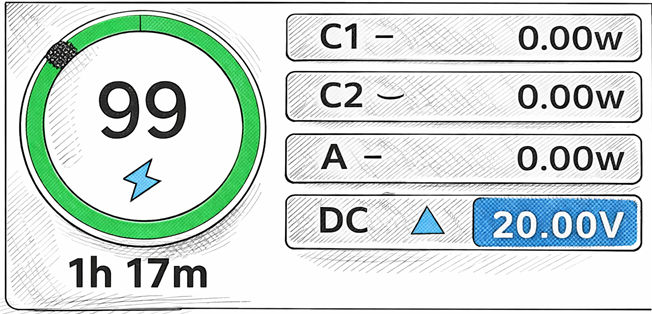
Step 4: Following connection, the blue background of the DC display will automatically light up and will display the discharge power, battery percentage and the remaining working time (see below). The battery indicator on the encoder screen will display as 'charging'.
If you'd like to place an order for a FrogBox Battery Expansion Pack simply, submit a ticket here to let us know.
More information here: FrogBox Battery Expansion Packs for V2 Camera Kits (Australia) and FrogBox Battery Expansion Packs for V2 Camera Kits (UK & Netherlands).