
Before you can start streaming with your mobile on match day, make sure you've first completed the following steps:
- You're set up with everything you need: What you need to stream with your mobile phone
- You've set up your FrogBox Go account: How to set up your FrogBox Go account for mobile streaming
- You've downloaded FrogBox Go Lite: How to download the FrogBox Go Lite app
- You've scheduled your match in FrogBox Go Lite: How to schedule your streams on FrogBox Go Lite
- Your stream has gone live: How to go live on FrogBox Go Lite
Once you've actioned the above, now it's time for live score your streams.
FrogBox gives you three flexible options for keeping scores updated during a live match. Choose the option that best suits your club.
Are you a cricket club in a FrogBox partner region?
For clubs affiliated with organisations such as Cricket Australia, ECB, Cricket New Zealand, KNCB, Cricket Scotland or other FrogBox cricket partners.
Step 1: You will need to live score your stream on using the connected live scoring app from your cricket competition provider. See this article for an overview of integrated scoring solutions.
You do not need to score as per the below options.
For all other customers
There are 3 options for your club to use for scoring.
Option 1: Score on the Streaming Phone
Use this option to update scores directly from the same you're using to stream.
Step 1: Once your broadcast is LIVE, tap the Trophy icon on the right toolbar.
Step 2: On-screen controls will expand over your camera preview.
Step 3: Tap + or - next to HOME or AWAY to instantly update team points on the broadcast graphics.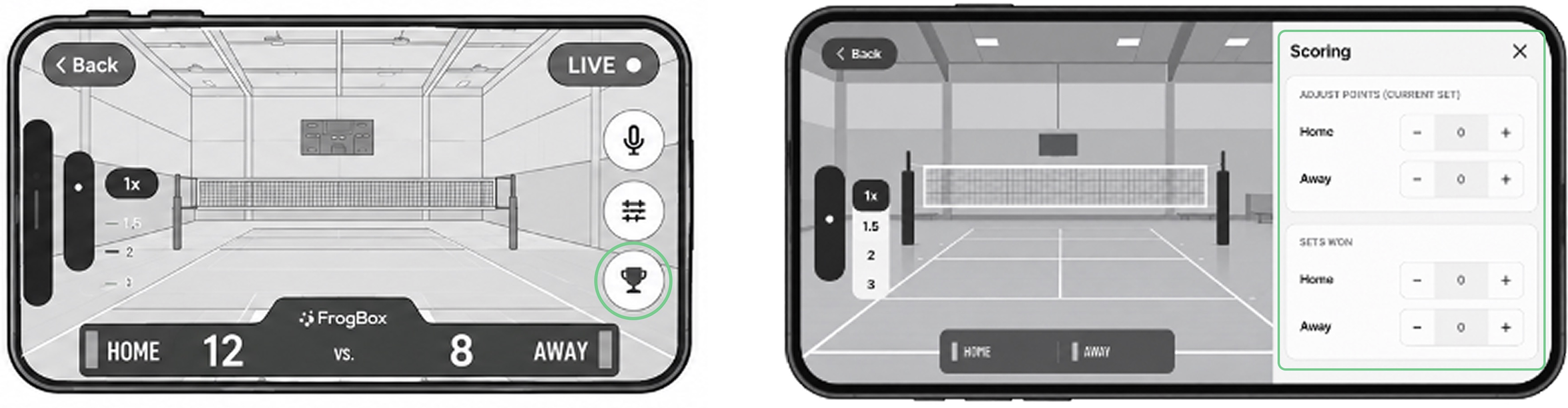
Option 2: Score from a Second Phone (Recommended)
Use this option to allow for someone else to manage scoring while allowing the person streaming to focus on capturing the action. This is the recommended way to score.
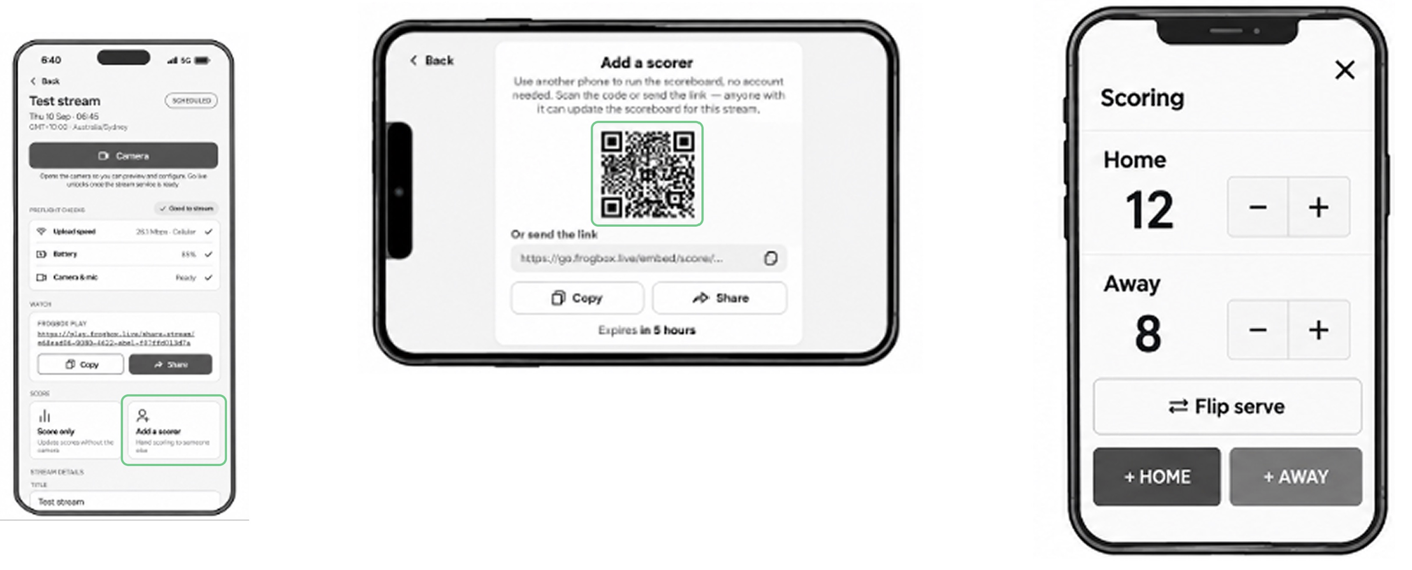
Step 1: Once your stream is live, click Add a Scorer and have your scorer scan the QR code with another phone.
Step 2: That other phone will open with a dedicated web-based scorekeeper panel that can operated without the need to log in.
Step 3: Start scoring. Score updates made on this phone will instantly reflect on the live stream.
Option 3: Score through FrogBox Go from a Laptop or Desktop Web Browser
Use this option to allow for someone else to manage scoring from FrogBox Go (web based application) using a laptop. This allows the person streaming to focus on capturing the action.
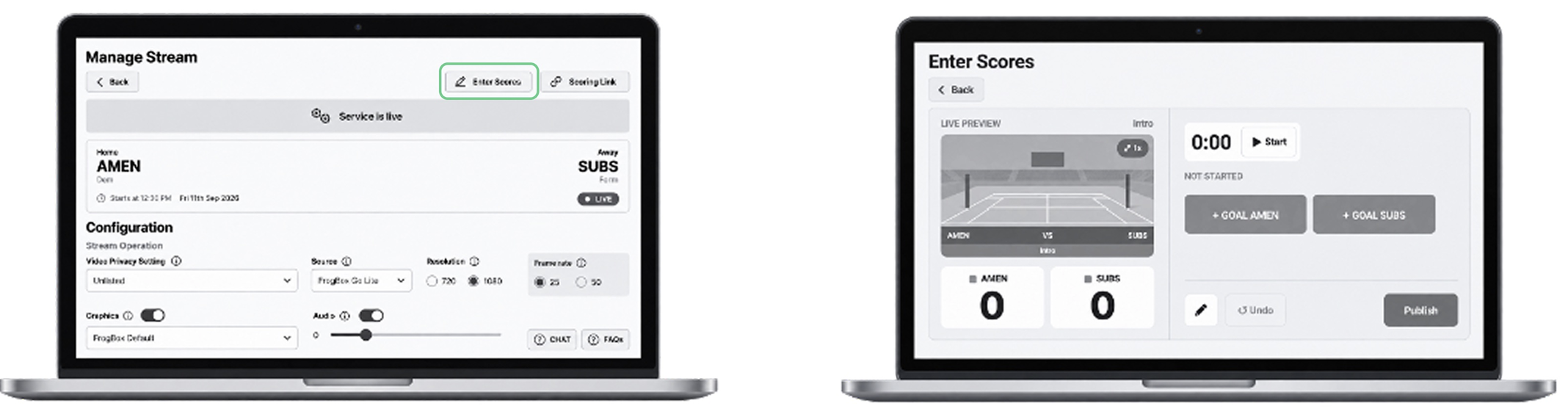
Step 1: On a laptop, log into FrogBox Go.
Step 2: Go to Manage Stream and select your match.
Step 3: Click Enter Scores on the top of screen.
Step 4: Use the full scoreboard interface to manage match clocks, add goals/points, and publish live score graphic updates.
NEED HELP?
Submit a FrogBox Support Ticket or please contact our Support team at support@frogbox.com. Please provide your club details so our team can assist you.